Build and Packaging
This guide covers advanced build and packaging practices for Unraid plugins, including CI/CD pipelines, versioning strategies, and distribution best practices. The concepts here are derived from how LimeTech and the community build professional-grade plugins.
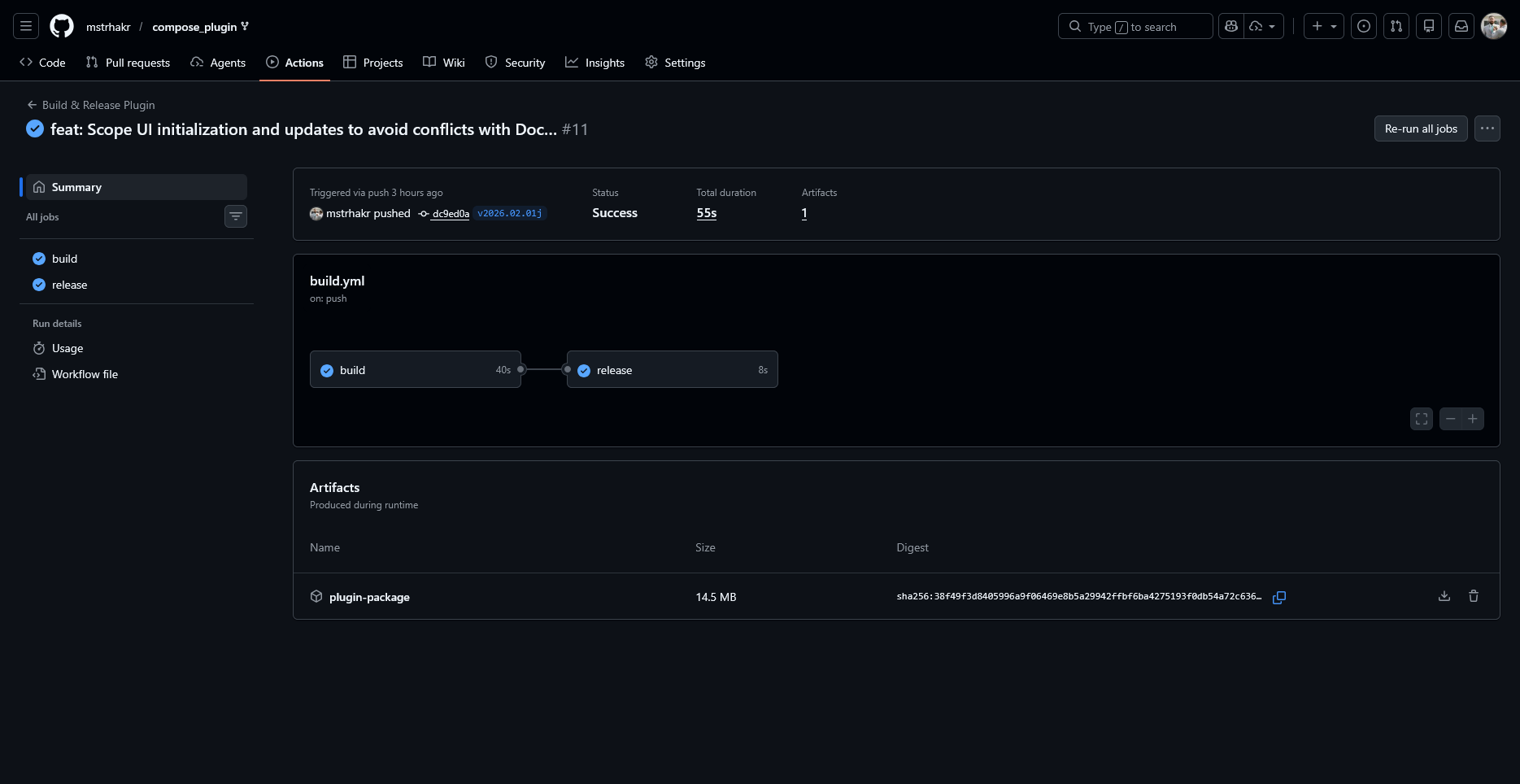
Build Artifacts Overview
A complete Unraid plugin distribution consists of two primary artifacts:
| Artifact | Format | Purpose |
|---|---|---|
myplugin-{version}.txz |
Slackware package | Contains all runtime files |
myplugin.plg |
XML descriptor | Tells Unraid how to install/manage the plugin |
The TXZ package is a standard Slackware package that gets installed via upgradepkg. The PLG file orchestrates the entire installation process.
Package Structure (TXZ)
A Slackware .txz package is essentially a tar archive compressed with xz. The internal structure must mirror the target filesystem. Files under usr/local/emhttp/plugins/ become your plugin’s web UI and scripts, while etc/rc.d/ holds service control scripts.
myplugin-1.0.0.txz
├── usr/
│   └── local/
│       ├── emhttp/
│       │   └── plugins/
│       │       └── myplugin/
│       │           ├── myplugin.page
│       │           ├── myplugin.settings.page
│       │           ├── default.cfg
│       │           ├── README.md
│       │           ├── php/
│       │           │   └── exec.php
│       │           ├── scripts/
│       │           │   ├── start.sh
│       │           │   └── stop.sh
│       │           └── event/
│       │               └── started
│       └── share/
│           └── myplugin/
│               └── install.sh        # Install/upgrade scripts
└── etc/
    └── rc.d/
        └── rc.myplugin                # Service control script
Creating the TXZ Package
See the DocTest validation plugin build script for a complete working example.
#!/bin/bash
# pkg_build.sh - Build a Slackware package

PLUGIN_NAME="myplugin"
VERSION="1.0.0"
BUILD_DIR="./build"
SOURCE_DIR="./source"

# Clean previous build
rm -rf "$BUILD_DIR"
mkdir -p "$BUILD_DIR"

# Copy source files preserving structure
cp -R "$SOURCE_DIR"/* "$BUILD_DIR/"

# CRITICAL: Convert Windows line endings to Unix (CRLF → LF)
# Without this, scripts will fail with "bad interpreter" errors
find "$BUILD_DIR" -type f \( -name "*.sh" -o -name "*.page" -o -name "*.cfg" \) -exec sed -i 's/\r$//' {} \;
find "$BUILD_DIR" -path "*/event/*" -type f -exec sed -i 's/\r$//' {} \;

# Set correct permissions
find "$BUILD_DIR" -type d -exec chmod 755 {} \;
find "$BUILD_DIR" -type f -exec chmod 644 {} \;
find "$BUILD_DIR" -name "*.sh" -exec chmod 755 {} \;
find "$BUILD_DIR" -path "*/event/*" -type f -exec chmod 755 {} \;
find "$BUILD_DIR/etc/rc.d" -type f -exec chmod 755 {} \;

# Create the package
cd "$BUILD_DIR"
makepkg -l y -c n "../${PLUGIN_NAME}-${VERSION}.txz"
Windows developers: Always convert line endings before packaging! Scripts with CRLF line endings will fail with
/bin/bash^M: bad interpreter. See Debugging Techniques for more details.
Note: If
makepkgisn’t available (you’re building on a non-Slackware system), you can use tar directly:tar -cJf "../${PLUGIN_NAME}-${VERSION}.txz" .
Version Management
Version String Formats
Unraid plugins support several version formats:
| Format | Example | Use Case |
|---|---|---|
| Date-based | 2026.02.01 |
LimeTech’s preferred format |
| Semantic | 1.2.3 |
Standard software versioning |
| With build | 1.2.3+abc123 |
Development builds with git SHA |
| Pre-release | 1.2.3-beta.1 |
Beta/RC versions |
Automatic Version Calculation
For CI/CD pipelines, calculate versions dynamically from git:
#!/bin/bash
# Get version from package.json or similar
PACKAGE_VERSION=$(jq -r '.version' package.json)

# Check if we're on an exact tag
if git describe --tags --exact-match HEAD 2>/dev/null; then
    # Release build - use tag version
    VERSION="$PACKAGE_VERSION"
else
    # Development build - append git SHA
    GIT_SHA=$(git rev-parse --short HEAD)
    VERSION="${PACKAGE_VERSION}+${GIT_SHA}"
fi

echo "Building version: $VERSION"
Build Numbers
For tracking individual builds within a version:
# Using GitHub Actions run number
BUILD_NUMBER="${GITHUB_RUN_NUMBER:-0}"

# Or generate sequential numbers per version
# Uses external action: onyxmueller/build-tag-number
Build numbers serve multiple purposes:
- Version display in UI
- Artifact tracking
- Plugin metadata (
&build;entity in PLG) - Timestamped build filenames
PLG Entity System
The PLG file uses XML DOCTYPE entities as variables. This makes the file easier to maintain and enables build-time substitution:
<?xml version='1.0' standalone='yes'?>
<!DOCTYPE PLUGIN [
<!ENTITY name        "myplugin">
<!ENTITY version     "1.2.3">
<!ENTITY author      "Your Name">
<!ENTITY txz_url     "https://example.com/releases/myplugin-1.2.3.txz">
<!ENTITY txz_sha256  "a1b2c3d4e5f6...">
<!ENTITY txz_name    "myplugin-1.2.3.txz">
<!ENTITY tag         "">
<!ENTITY build       "42">
<!ENTITY api_version "1.2.3">
]>
Common PLG Entities
| Entity | Example | Purpose |
|---|---|---|
&name; |
myplugin |
Plugin identifier |
&version; |
1.2.3 |
Displayed in Plugin Manager |
&txz_url; |
https://... |
Download URL for package |
&txz_sha256; |
a1b2c3... |
Package integrity verification |
&txz_name; |
myplugin-1.2.3.txz |
Package filename |
&tag; |
PR123 or empty |
Build tag for preview builds |
&build; |
42 |
Sequential build number |
Build-Time Entity Substitution
Generate the PLG file from a template during build:
#!/bin/bash
# build_plg.sh - Generate PLG file with correct values

TEMPLATE="myplugin.plg.template"
OUTPUT="myplugin.plg"
TXZ_FILE="myplugin-${VERSION}.txz"

# Calculate SHA256 hash
TXZ_SHA256=$(sha256sum "$TXZ_FILE" | cut -d' ' -f1)

# Substitute entities in template
sed -e "s||${VERSION}|g" \
    -e "s||${BASE_URL}/${TXZ_FILE}|g" \
    -e "s||${TXZ_SHA256}|g" \
    -e "s||${TXZ_FILE}|g" \
    -e "s||${BUILD_NUMBER}|g" \
    -e "s||${TAG}|g" \
    "$TEMPLATE" > "$OUTPUT"
SHA256 vs MD5 Verification
Modern plugins should use SHA256 for integrity verification:
<!-- Preferred: SHA256 -->
<FILE Name="/boot/config/plugins/&name;/&txz_name;">
<URL>&txz_url;</URL>
<SHA256>&txz_sha256;</SHA256>
</FILE>

<!-- Legacy: MD5 (still supported) -->
<FILE Name="/boot/config/plugins/&name;/&txz_name;">
<URL>&txz_url;</URL>
<MD5>&txz_md5;</MD5>
</FILE>
Version Upgrade Detection
For plugins that need to coordinate versions across components (e.g., API versions), implement upgrade detection:
# In PLG install script
compare_versions() {
    # Use PHP's version_compare for semantic versioning
    php -r "echo version_compare('$1', '$2');"
}

CURRENT_VERSION=$(cat /path/to/current/version 2>/dev/null || echo "0.0.0")
NEW_VERSION="&version;"

RESULT=$(compare_versions "$CURRENT_VERSION" "$NEW_VERSION")

case $RESULT in
    1)  # Current > New (downgrade attempt)
        echo "Warning: Attempting to install older version"
        SKIP_INSTALL=true
        ;;
    0)  # Same version
        echo "Same version, reinstalling..."
        ;;
    -1) # Current < New (upgrade)
        echo "Upgrading from $CURRENT_VERSION to $NEW_VERSION"
        ;;
esac
CI/CD Pipeline with GitHub Actions
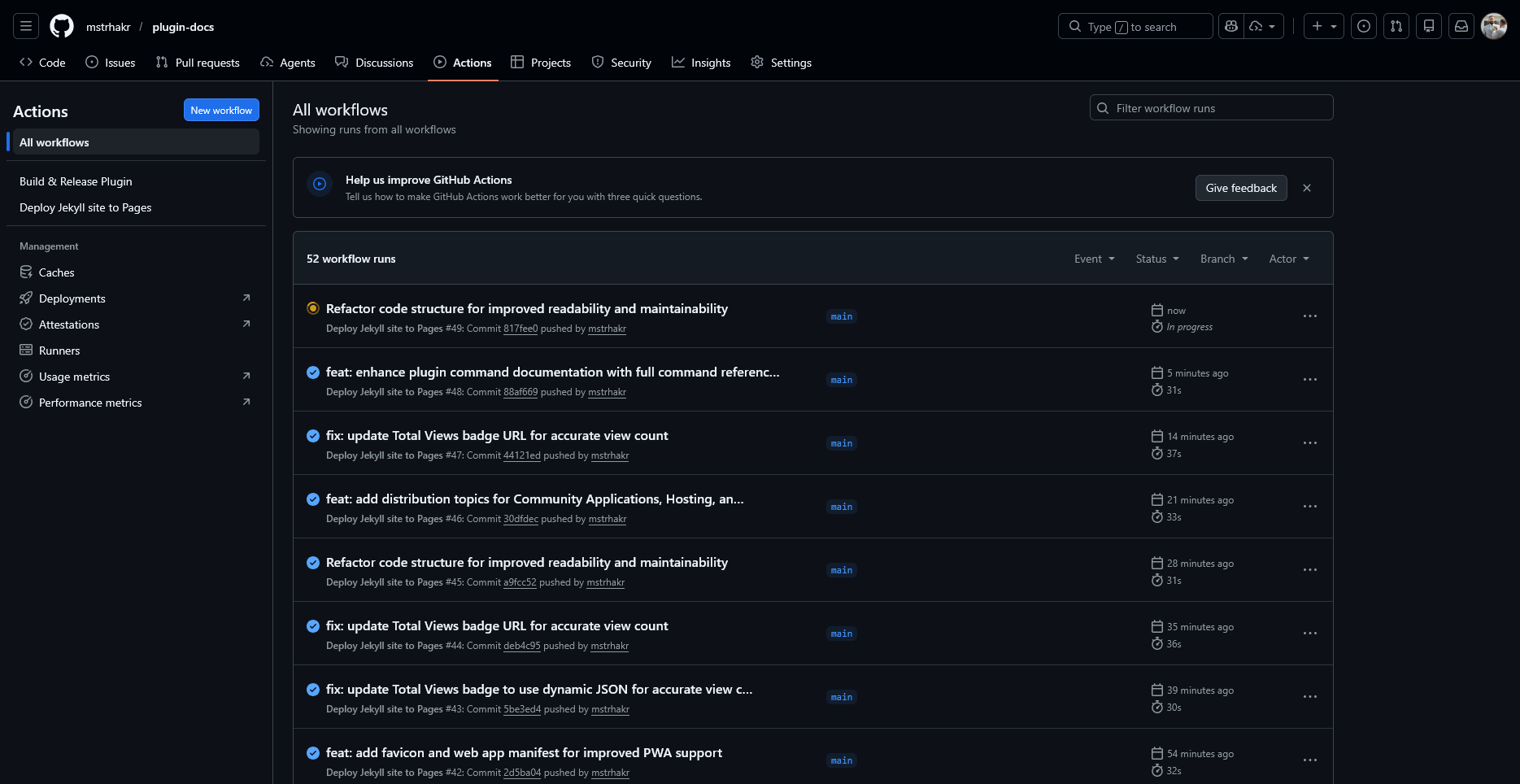
Starting fresh? The Unraid Plugin Template includes a complete GitHub Actions workflow out of the box—just enable Actions and create a release.
See the DocTest plugin CI/CD workflow for a complete working example used by this documentation project.
Release Automation Script
For Windows development environments, a PowerShell script can automate the release process:
# Preview what would happen
.\release.ps1 -DryRun

# Create and push a release
.\release.ps1

# Skip prompts (for CI/automation)
.\release.ps1 -Force
The release.ps1 script handles:
- Date-based versioning - Automatically generates
vYYYY.MM.DDtags - Multiple daily releases - Appends suffix letters (
a,b,c…) for same-day releases - Safety checks - Warns about uncommitted changes, wrong branch, or being behind remote
- CI/CD integration - Pushes tag which triggers GitHub Actions workflow
Example workflow:
.\release.ps1   # Creates v2026.02.01
.\release.ps1   # Creates v2026.02.01a (same day)
.\release.ps1   # Creates v2026.02.01b (same day)
Multi-Stage Build Pipeline
# .github/workflows/build.yml
name: Build Plugin

on:
  push:
    branches: [main]
  pull_request:
    branches: [main]
  release:
    types: [created]

jobs:
  test:
    runs-on: ubuntu-latest
    steps:
      - uses: actions/checkout@v4
      - name: Run tests
        run: ./scripts/test.sh

  build:
    needs: test
    runs-on: ubuntu-latest
    steps:
      - uses: actions/checkout@v4
        with:
          fetch-depth: 0  # Full history for version calculation

      - name: Calculate version
        id: version
        run: |
          if [[ "$" == "release" ]]; then
            echo "VERSION=$" >> $GITHUB_OUTPUT
          else
            VERSION=$(cat VERSION)
            SHA=$(git rev-parse --short HEAD)
            echo "VERSION=${VERSION}+${SHA}" >> $GITHUB_OUTPUT
          fi

      - name: Build TXZ package
        run: ./scripts/build_txz.sh $

      - name: Build PLG file
        run: ./scripts/build_plg.sh $

      - name: Upload artifacts
        uses: actions/upload-artifact@v4
        with:
          name: plugin-package
          path: |
            dist/*.txz
            dist/*.plg

  deploy:
    needs: build
    runs-on: ubuntu-latest
    if: github.event_name == 'release'
    steps:
      - name: Download artifacts
        uses: actions/download-artifact@v4
        with:
          name: plugin-package
          path: dist/

      - name: Upload to GitHub Release
        run: |
          gh release upload $ dist/*
        env:
          GITHUB_TOKEN: $
Deployment Targets
Three-Tier Deployment
Professional plugins often use multiple deployment environments:
| Environment | URL Pattern | Purpose |
|---|---|---|
| PR Preview | preview.example.com/plugin/PR123/ |
Test specific changes |
| Staging | preview.example.com/plugin/ |
Pre-production validation |
| Production | stable.example.com/plugin/ |
Public releases |
PR Preview Builds
Enable testing specific pull requests:
# In GitHub Actions
- name: Deploy PR Preview
  if: github.event_name == 'pull_request'
  env:
    TAG: "PR$"
    BASE_URL: "https://preview.example.com/plugin/PR$"
  run: |
    ./scripts/build_plg.sh --tag=$TAG --base-url=$BASE_URL
    ./scripts/upload.sh preview/PR$/
Users can then install the PR build with:
https://preview.example.com/plugin/PR123/myplugin.plg
PR Lifecycle Management
When a PR is merged, redirect testers to staging:
# After PR merge, create redirect
echo '<!DOCTYPE html><html><head><meta http-equiv="refresh" content="0;url=../myplugin.plg"></head></html>' \
  > "PR${PR_NUMBER}/myplugin.plg"
Or configure S3/CDN 301 redirects from PR paths to staging.
Build Artifact Cleanup
Prevent unbounded storage growth with automated cleanup:
#!/bin/bash
# cleanup-old-builds.sh
CUTOFF_DATE=$(date -d '7 days ago' +%Y%m%d)

# List and filter old timestamped builds
aws s3 ls "s3://${BUCKET}/plugin/" | while read -r line; do
    FILE_DATE=$(echo "$line" | awk '{print $1}' | tr -d '-')
    FILE_NAME=$(echo "$line" | awk '{print $4}')

    if [[ "$FILE_DATE" < "$CUTOFF_DATE" ]] && [[ "$FILE_NAME" == *-20*.txz ]]; then
        echo "Deleting old build: $FILE_NAME"
        aws s3 rm "s3://${BUCKET}/plugin/$FILE_NAME"
    fi
done
Retention Policies
| Build Type | Retention |
|---|---|
| PR builds | 7 days after creation |
| Staging builds | 7 days (timestamped) |
| Production releases | Indefinite |
Service Control Scripts
Include an rc script for service management:
etc/rc.d/rc.myplugin:
#!/bin/bash
# Service control script for myplugin

DAEMON="/usr/local/myplugin/bin/myplugin"
PIDFILE="/var/run/myplugin.pid"

start() {
    if [ -f "$PIDFILE" ] && kill -0 $(cat "$PIDFILE") 2>/dev/null; then
        echo "myplugin is already running"
        return 1
    fi
    echo "Starting myplugin..."
    $DAEMON &
    echo $! > "$PIDFILE"
}

stop() {
    if [ -f "$PIDFILE" ]; then
        echo "Stopping myplugin..."
        kill $(cat "$PIDFILE") 2>/dev/null
        rm -f "$PIDFILE"
    fi
}

status() {
    if [ -f "$PIDFILE" ] && kill -0 $(cat "$PIDFILE") 2>/dev/null; then
        echo "myplugin is running (PID: $(cat $PIDFILE))"
    else
        echo "myplugin is not running"
        return 1
    fi
}

case "$1" in
    start)   start ;;
    stop)    stop ;;
    restart) stop; sleep 1; start ;;
    status)  status ;;
    *)       echo "Usage: $0 {start|stop|restart|status}" ;;
esac
Web Components for Legacy Integration
Modern plugins can include web components that work within Unraid’s PHP pages:
usr/local/emhttp/plugins/myplugin/
├── components/
│   ├── my-widget.js          # Standalone web component
│   └── my-widget.css
└── pages/
    └── settings.page          # PHP page embedding component
In your PHP page:
<script type="module" src="/plugins/myplugin/components/my-widget.js"></script>
<my-widget config="<?=htmlspecialchars(json_encode($config))?>"></my-widget>
Web components can be built from Vue, React, or other frameworks and bundled as standalone scripts without framework dependencies.
Complete Build Example
Here’s a complete build script that ties everything together:
#!/bin/bash
# build.sh - Complete plugin build script

set -e

PLUGIN_NAME="myplugin"
VERSION="${1:-$(cat VERSION)}"
BUILD_NUMBER="${GITHUB_RUN_NUMBER:-0}"
BASE_URL="${BASE_URL:-https://github.com/you/repo/releases/download/v${VERSION}}"

echo "Building $PLUGIN_NAME version $VERSION (build $BUILD_NUMBER)"

# Step 1: Build the TXZ package
echo "=== Building TXZ package ==="
./scripts/build_txz.sh "$VERSION"
TXZ_FILE="dist/${PLUGIN_NAME}-${VERSION}.txz"

# Step 2: Calculate hash
echo "=== Calculating SHA256 ==="
TXZ_SHA256=$(sha256sum "$TXZ_FILE" | cut -d' ' -f1)
echo "SHA256: $TXZ_SHA256"

# Step 3: Generate PLG file
echo "=== Generating PLG file ==="
sed -e "s||${VERSION}|g" \
    -e "s||${BASE_URL}/${PLUGIN_NAME}-${VERSION}.txz|g" \
    -e "s||${TXZ_SHA256}|g" \
    -e "s||${BUILD_NUMBER}|g" \
    "plugin/${PLUGIN_NAME}.plg.template" > "dist/${PLUGIN_NAME}.plg"

echo "=== Build complete ==="
echo "Artifacts:"
ls -la dist/
Best Practices Summary
- Use SHA256 for package verification instead of MD5
- Calculate versions dynamically from git tags/commits for CI builds
- Include build numbers for tracking individual builds
- Use entity substitution in PLG files for maintainability
- Implement multi-environment deployments (PR/staging/production)
- Automate cleanup of old preview builds
- Test PR builds before merging to production
- Include proper rc scripts for service management
- Set correct permissions in packages (755 for dirs/executables, 644 for files)
- Sign releases with SHA256 hashes for integrity verification